Everything your team needs, in the phone they already carry.
Build the week in a minute, let staff swap shifts, keep labor in check, and reach everyone — by push, email or text.
30-day free trial · No credit card required
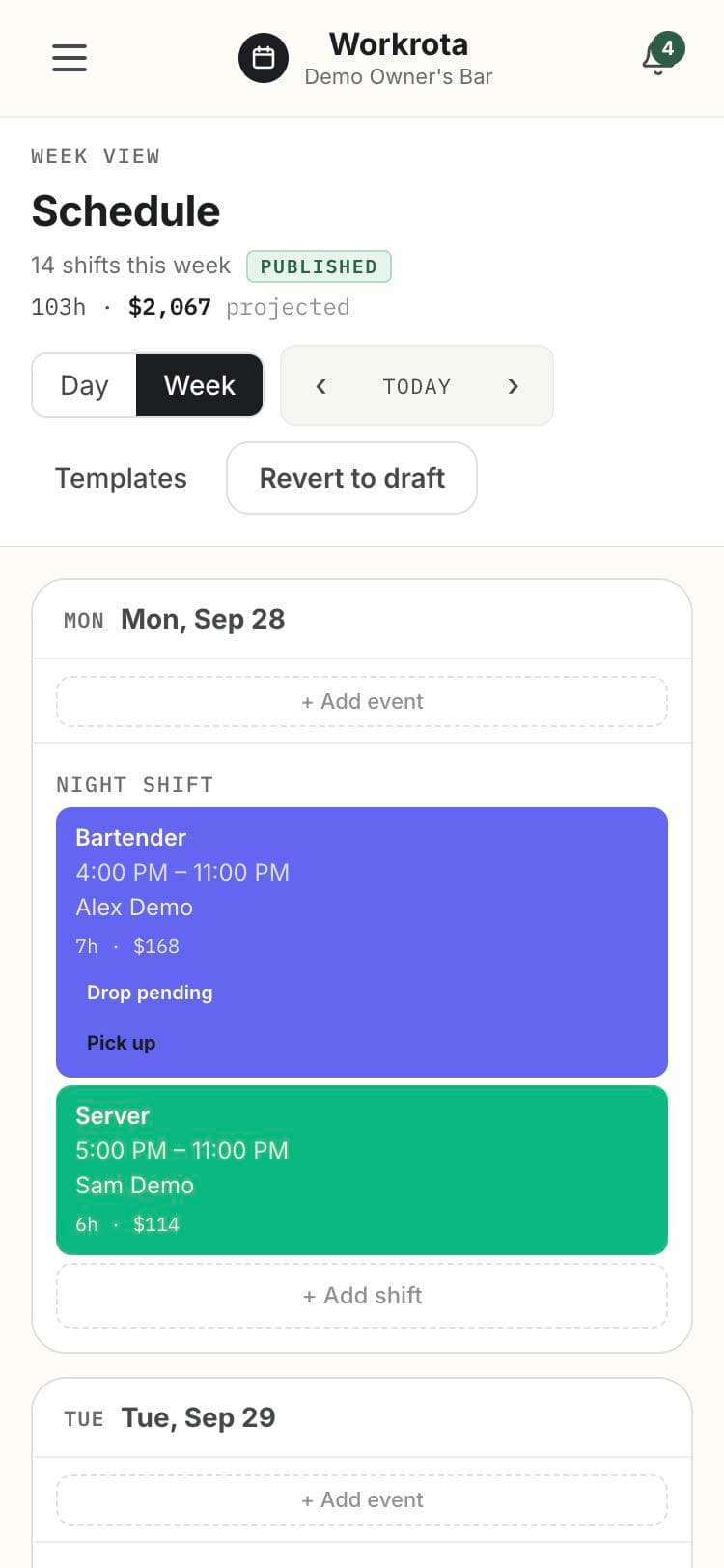
Next week’s schedule, drafted for you.
Workrota builds a draft week from your team’s availability and your coverage needs. You review it, adjust what you want, and publish — and everyone is told.
- Respects availability and approved time off
- Saved shift presets and templates
- Projected labor cost shown as you build
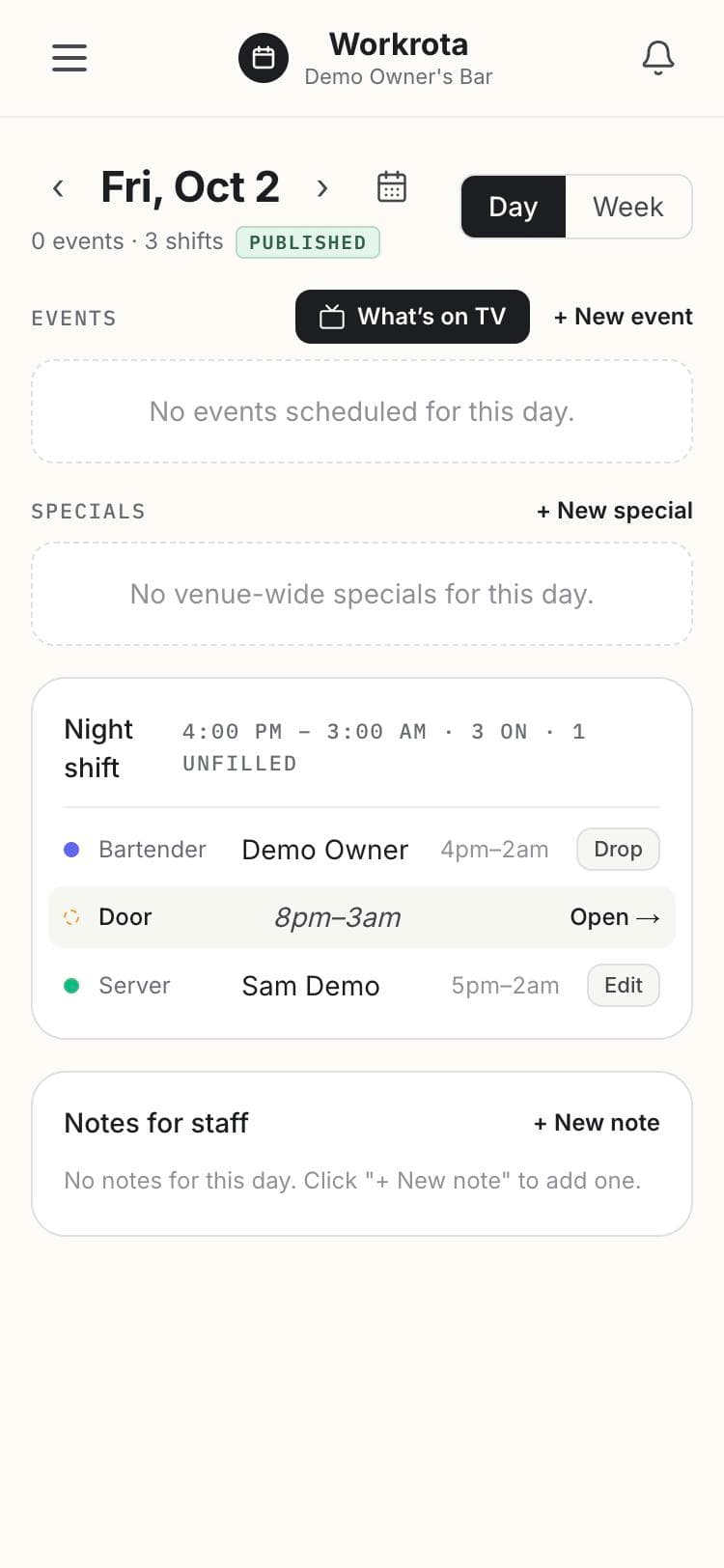
Staff trade shifts. You approve in a tap.
A dropped shift shows up as open, right on the schedule, so a teammate can pick it up. Pickups and swaps go through your one-tap approval by default — and if you’d rather skip that step, we can switch your bar to auto-approve.
- Drop and pick up shifts from the day view
- One-tap approvals for managers
- Everyone involved is notified
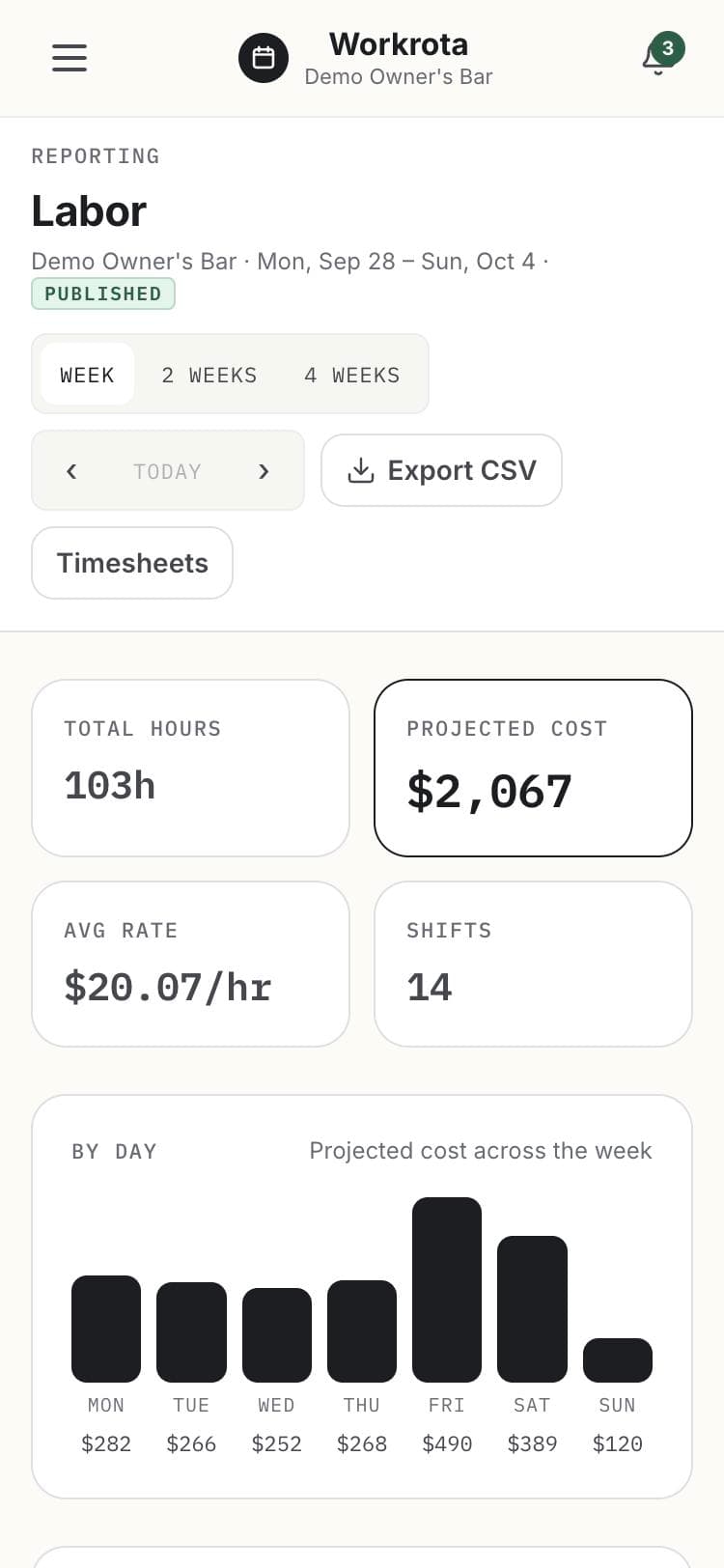
Know your labor before the week starts.
See projected hours and cost by day, your average rate, and who is heading toward overtime. Export it to CSV when your bookkeeper asks. Pay stays private: only the people you choose can see rates.
- Hours and projected cost by day and week, with a four-week view
- Overtime watch while you schedule
- CSV export, plus an optional time clock and timesheets
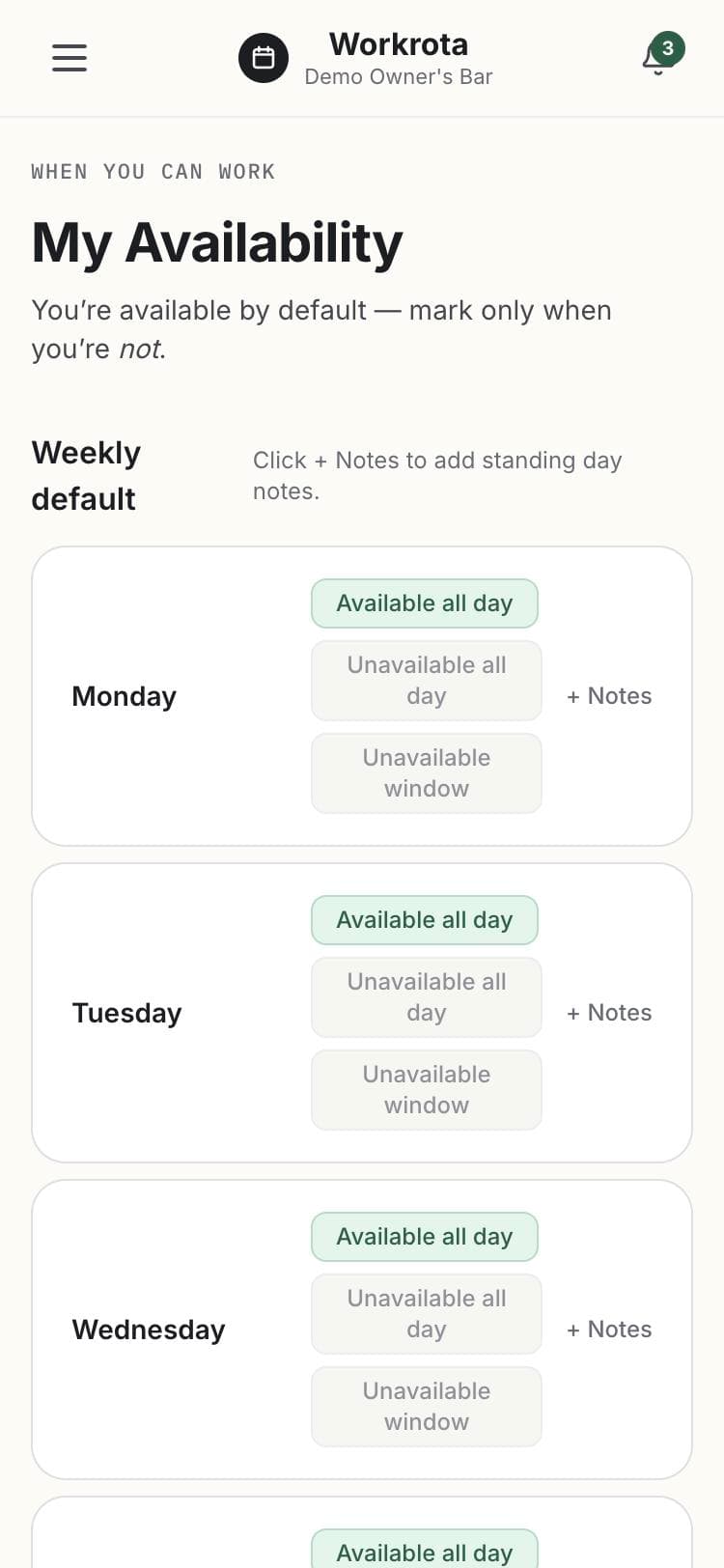
Everyone says when they can work.
Team members set when they’re not available, and ask for a day — or a whole stretch — off. Managers see conflicts and blackout dates before they approve, and the AI draft respects availability and approved time off.
- Weekly availability, with notes
- Time-off requests for a day or a range
- Blackout dates managers can see and enforce
Reach people where they actually are.
Push, email and text messages — and each person chooses what they want. Schedules posted, shifts changed, open shifts, approvals: the right people hear about it, without a group text. Texts are included in every plan.
- Push, email and text, per person
- Quiet by default: one alert per conversation
- Texting is opt-in and included
Schedule posted
Next week is up. You’re on Fri and Sat nights.
Your shift on Friday changed
Bartender, 4:00 PM – 11:00 PM → 5:00 PM – 11:00 PM
A team wall instead of a group text.
Post announcements, reply on the team wall, send direct messages, and share photos — all inside the same app as the schedule. Mute any conversation you don’t need.
- Announcements, team wall and direct messages
- Photos in messages
- Mute any conversation
Patio opens Saturday if the weather holds — need one more on the bar. Who’s in?
Photos, direct messages and announcements too. Mute any conversation.
Plan around what’s happening.
Bring in your venue’s calendar and the games for the teams you follow, or add your own events and specials. A daily shift sheet can land in your inbox each morning.
- Google Calendar and calendar-feed import
- Games auto-imported for the teams you track
- Specials and an optional daily shift-sheet email
Home game
Auto-imported · expect a busy bar
Live music
Added by a manager
Private party
From the venue’s Google Calendar
And the rest of the toolbox
Roles & permissions
Set up roles per bar, so the right people see pay, approvals and settings.
More than one place
One login can work at several bars, each with its own team and plan.
Checklists
Opening and closing checklists your team signs off on.
Open shifts
Post a shift nobody’s assigned to and let qualified staff claim it.
iPhone and Android apps + web app
Free apps on the App Store and Google Play, plus the web app installs to any home screen.
Your data is yours
Export labor and hours reports to CSV any time — and if you leave, we’ll send you your roster and schedule history.